 bean.
bean.One business.
One connected system.
Bean keeps your organisation's inventory, the apps you already run and a complete record of who changed what in one place. Starting with inventory and integrated apps, and growing module by module.
- Organisations kept separate
- Roles checked on the server
- Append-only audit log
- Documented event contract
Real Bean interface · demo data
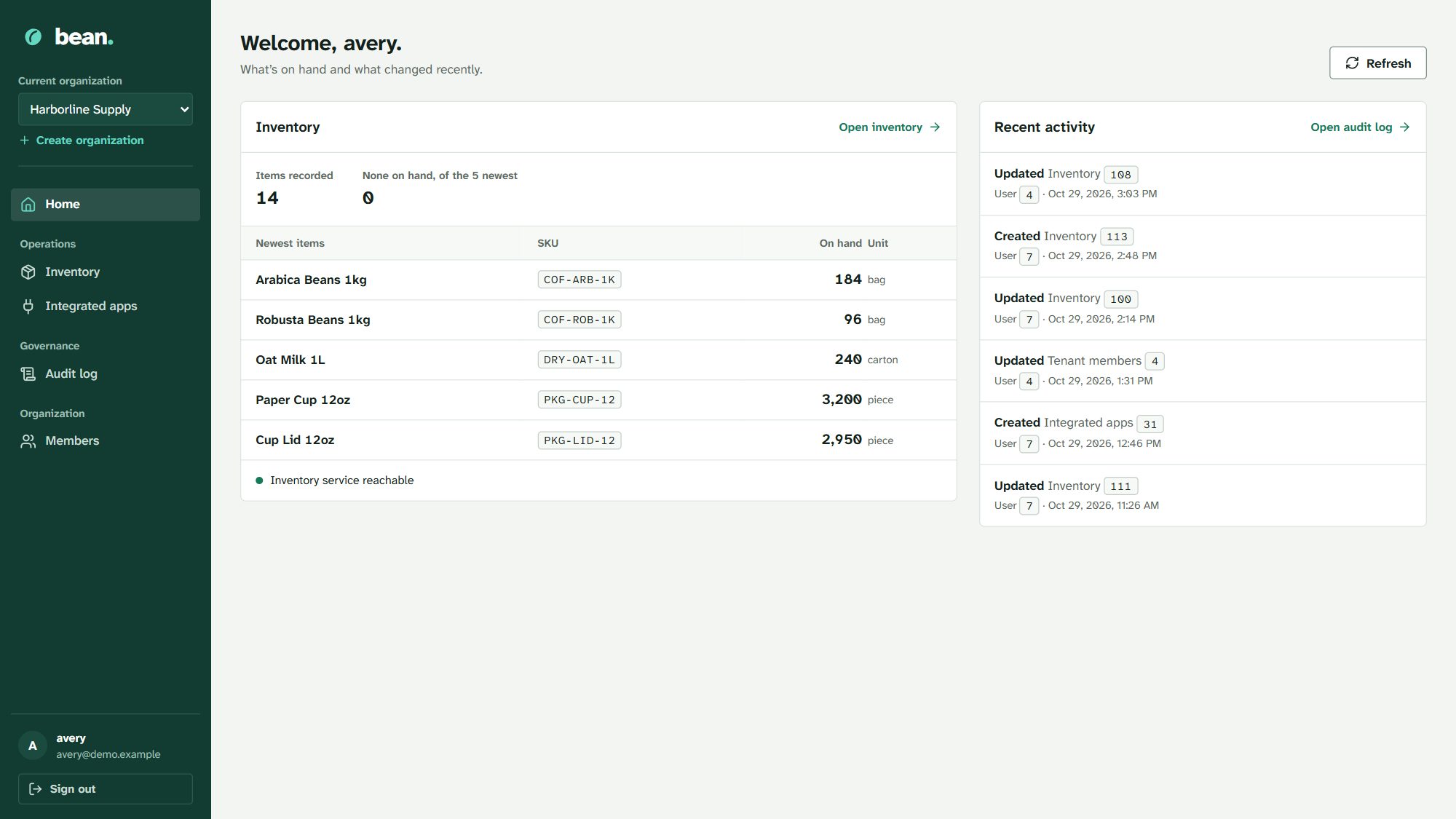
Your stock, your tools and your records stop living in separate places.
Spreadsheets drift. Point-of-sale exports arrive late. Nobody is sure who changed a number. Bean gives each organisation one shared system where every action is scoped, permitted and recorded.
Kept separate
Each organisation is its own tenant. Members are owners, administrators or members, and the server checks both their role and their permissions on every request.
LiveStock that stays true
Inventory is scoped to your organisation, with unique SKUs per item, server-side pagination and units recorded per item, so quantities in different units are never added together.
LiveEvery change on the record
Creates, updates, sign-ins and membership changes go to an audit log that the database keeps append-only.
LiveConnect what you run
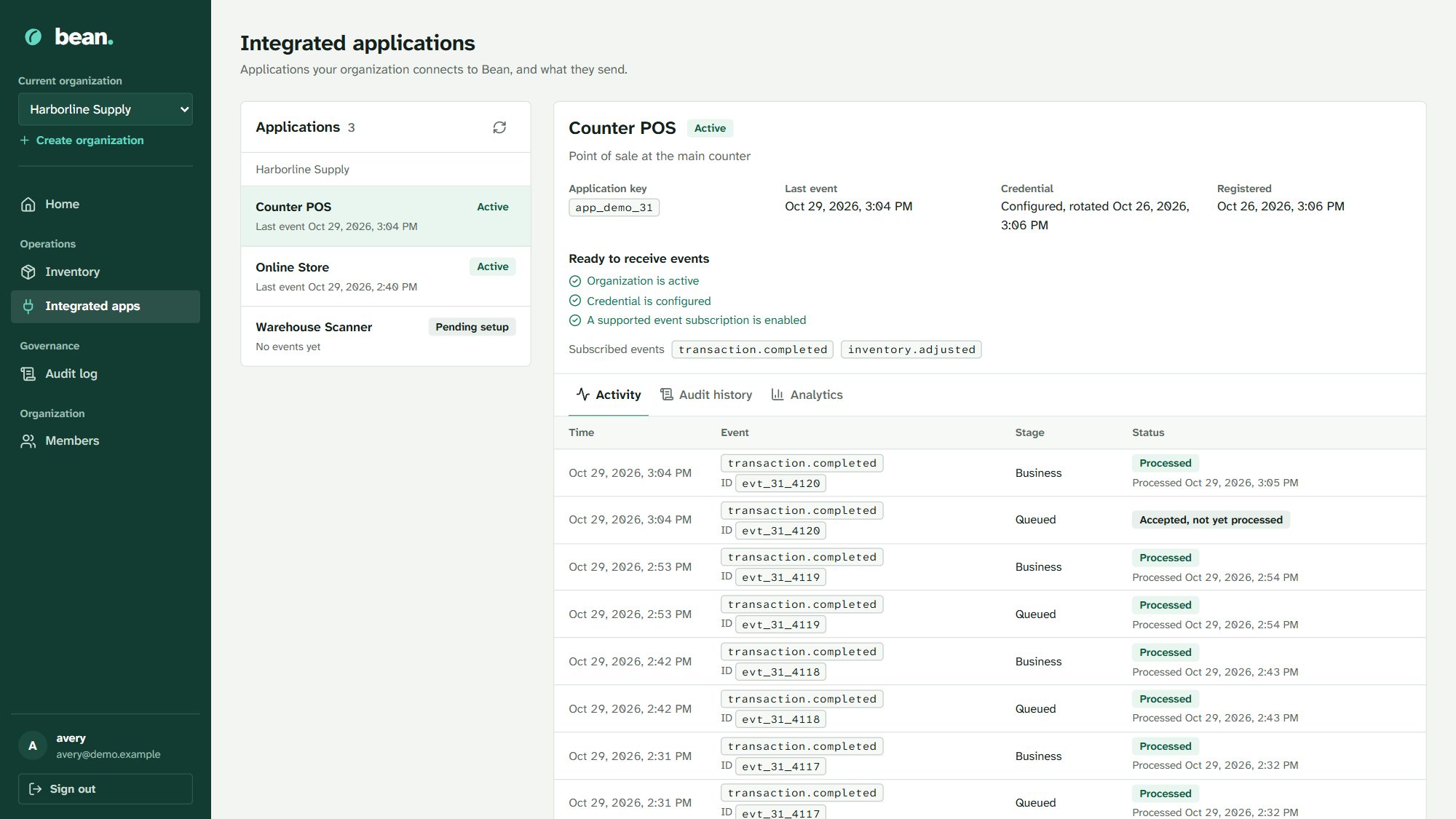
Register a point of sale or online store as an integrated application. Its sales events deduct stock and are deduplicated, retried and shown on a timeline.
Live
A sale at the counter. The stock count already knows.
When a connected app sends a transaction.completed event, Bean validates it against a registered schema, queues it, deducts the item's stock, records the sale and writes it to the audit trail in one transaction.
Duplicates are acknowledged but never applied twice. Failures roll back and are retried. The application's page shows each event's path from accepted to processed.
Apps connect through Bean's documented event API. There are no ready-made connectors for specific POS or store brands yet, so your system or developer sends the events.
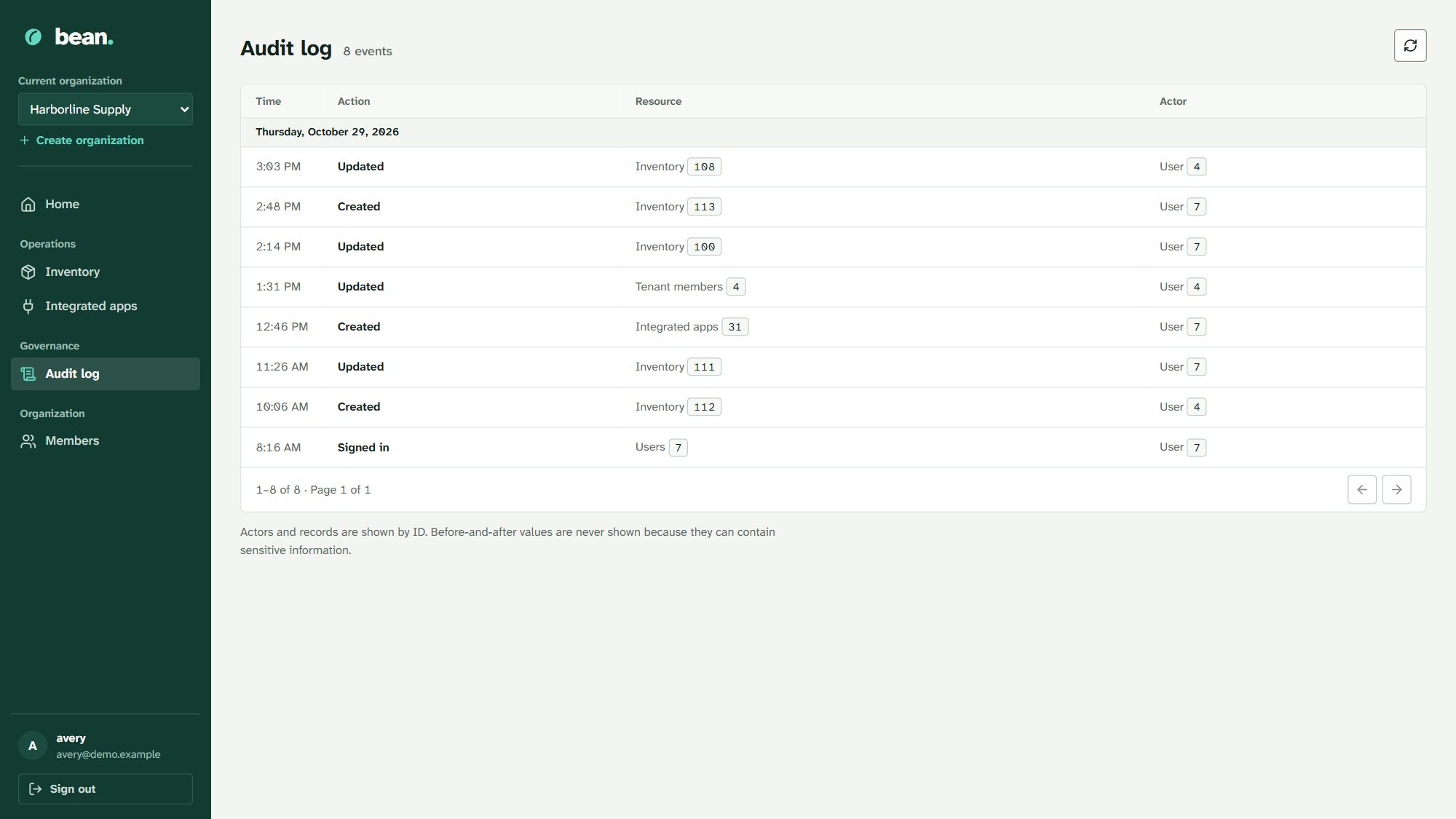
Know who changed what, and when.
The audit log lists every recorded action with its time, resource and actor. Before-and-after values are never shown in the interface, because they can contain sensitive information.
Sessions end after an hour of inactivity and six hours at most. Passwords, session IDs and tokens never appear in URLs.
Modular by design. Honest about what's built.
Bean adds modules to the same organisation, roles and audit trail. Here is exactly where each one stands.
| Module | Status | What it covers |
|---|---|---|
| Inventory | Live | Tenant-scoped items, SKUs, quantities and units |
| Integrated applications | Live | App registration, credentials, event intake, activity, analytics |
| Members and audit | Live | Owner, admin and member roles; append-only audit log |
| Tickets | In development | Backend in progress; no interface yet |
| Projects, sales, analytics, HR, payroll | Planned | On the roadmap; not built |